


LRob backs up your hosting at two levels, off the server (see Making my data last). These backups are for operational purposes: they do not replace a copy that belongs to you, and remains your responsibility. Your hosting provider gives you two ways to make a copy from Plesk: a manual, point-in-time copy, and a scheduled automatic backup to a remote server.
Contents
Manual backup
To keep a copy of a site at a given moment, for example before a major change or before deleting a subscription, everything is done from the subscription page:
- Tab Files : check the site folder (usually
httpdocs), click on Archive To create a zip file, download it, then delete the zip file from the server so that it does not take up any space. - Tab Databases based on the site, Exporting the dump, With download. The file contains the entire database.
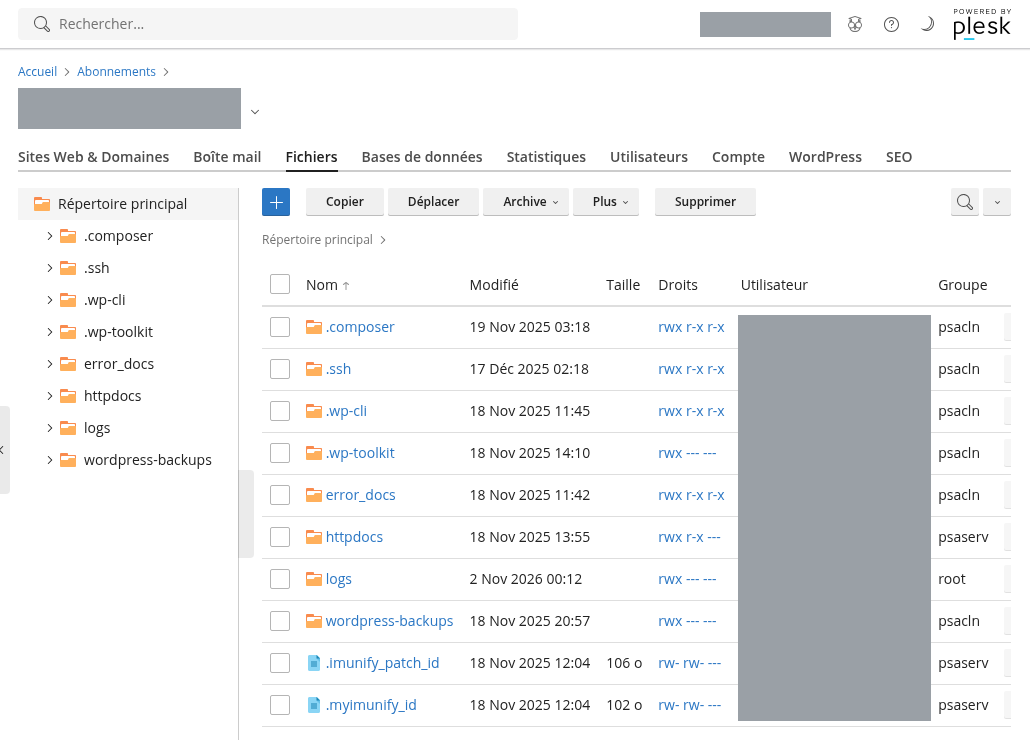
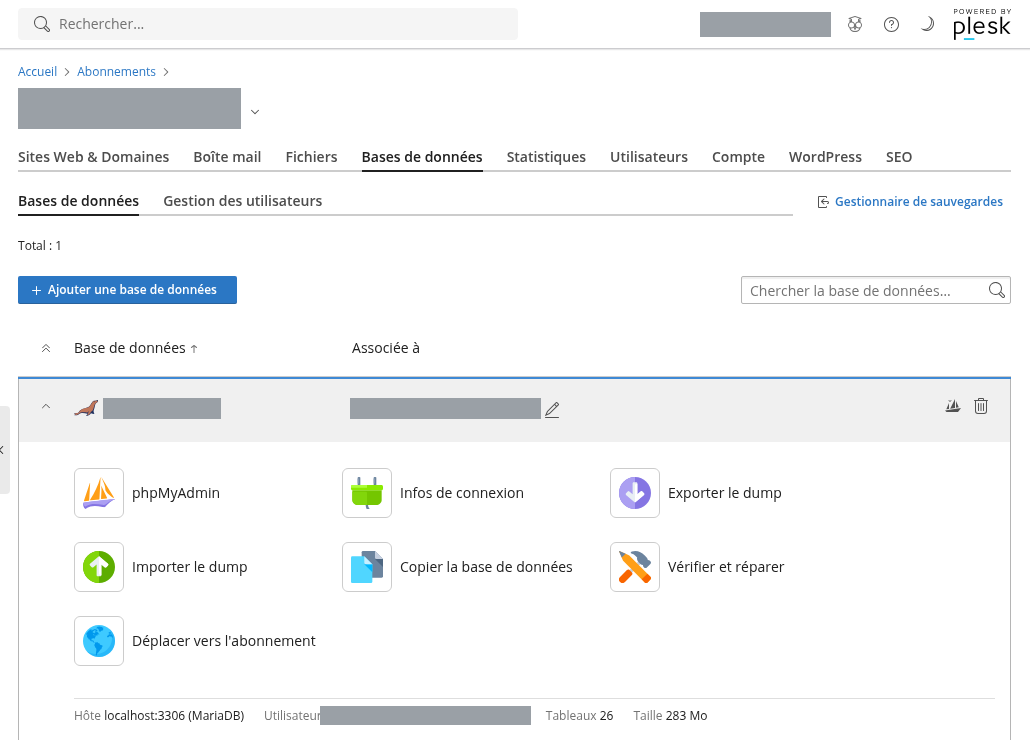
This copy contains the site, not the emails. The email boxes are only kept by a Plesk backup of the subscription, described below, or by retrieving them via IMAP from a messaging software.
Automated backup planned
The Plesk Backup Manager (Preserving and restoring, On the subscription page), the subscription is backed up in its entirety: files, databases, mailboxes and their contents, configuration (domains, DNS, PHP settings). On LRob hosting, these backups are outsourced: they are sent to a remote server that belongs to you, outside the hosting server. Therefore, you must first choose this storage space.
1. Choose a storage space
Our recommendation: one Storage Box Hetzner, to order in Finland, So that it is geographically remote from the LRob servers. The first model (1 To) costs a few euros per month, FTP and FTPS access is active by default, and automatic snapshots protect against accidental deletion.
- The host to be used is of the form
uXXXXX.your-storagebox.de(the number of your Storage Box). - Create a sub-account by hosting, each one is limited to their own folder: one hosting never sees the backups of another.
- A NAS at your home or any other FTP server(s) accessible from the Internet is also suitable: see the tutorial Backing up Plesk hosting on your home NAS.
2. Declare the remote storage in Plesk
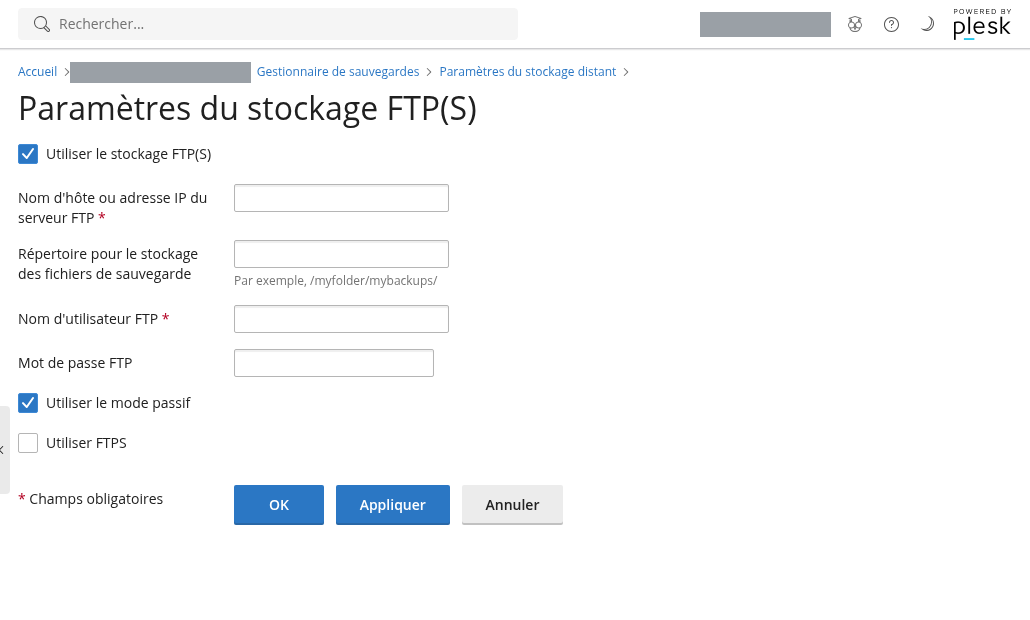
In the Backup Manager, Parameters of remote storage, then FTP(s). Check Using the FTP storage(s) and enter the host name, the storage directory (for example /monsite/), the username and password of the sub-account. Leave the passive mode checked and check Using FTPS For the transfer to be encrypted. Validate by OK: Plesk tests the connection.
3. Planify
Still in the Backup Manager, click on Planning : activate the task, choose the frequency (daily backup, night backup, suitable for most sites), the number of backups to keep, and the sending of an email in case of an error. The backups then automatically go to your remote storage. The button Save launch it immediately when you need it. The restoration is done from the same page, in its entirety or item by item.
Retailers
The principle is the same; only the location changes: a reseller account has the Backup Manager at the global level, in Tools & Utilities. One remote storage and one planning facility cover all your subscriptions. This is the method adopted by several agencies hosted at LRob.