


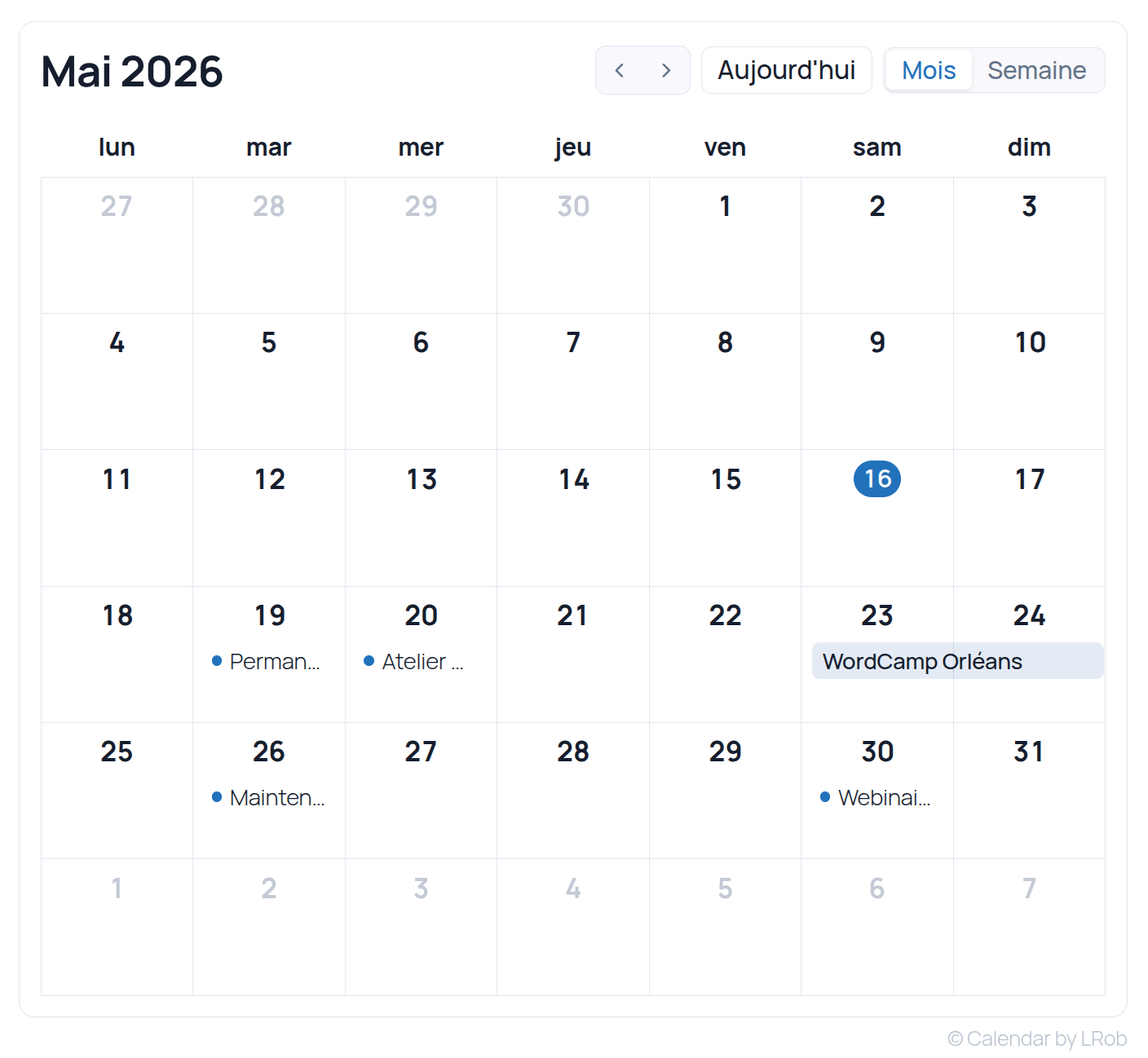
LRob Calendar is a event calendar plugin for WordPress, It's free, open source and 100 % self-hosted. It's designed for those looking for the best WordPress calendar plugin with no ads, no tracking, no restricted premium versions and no dependence on third-party services.
Whether you manage the’association agenda, the calendar of events for a bar or restaurant, Whether it's a showroom program, a training center session or a professional website, this is the perfect tool for you. WordPress calendar plugin covers concrete needs - without overloading your site.
Screenshots
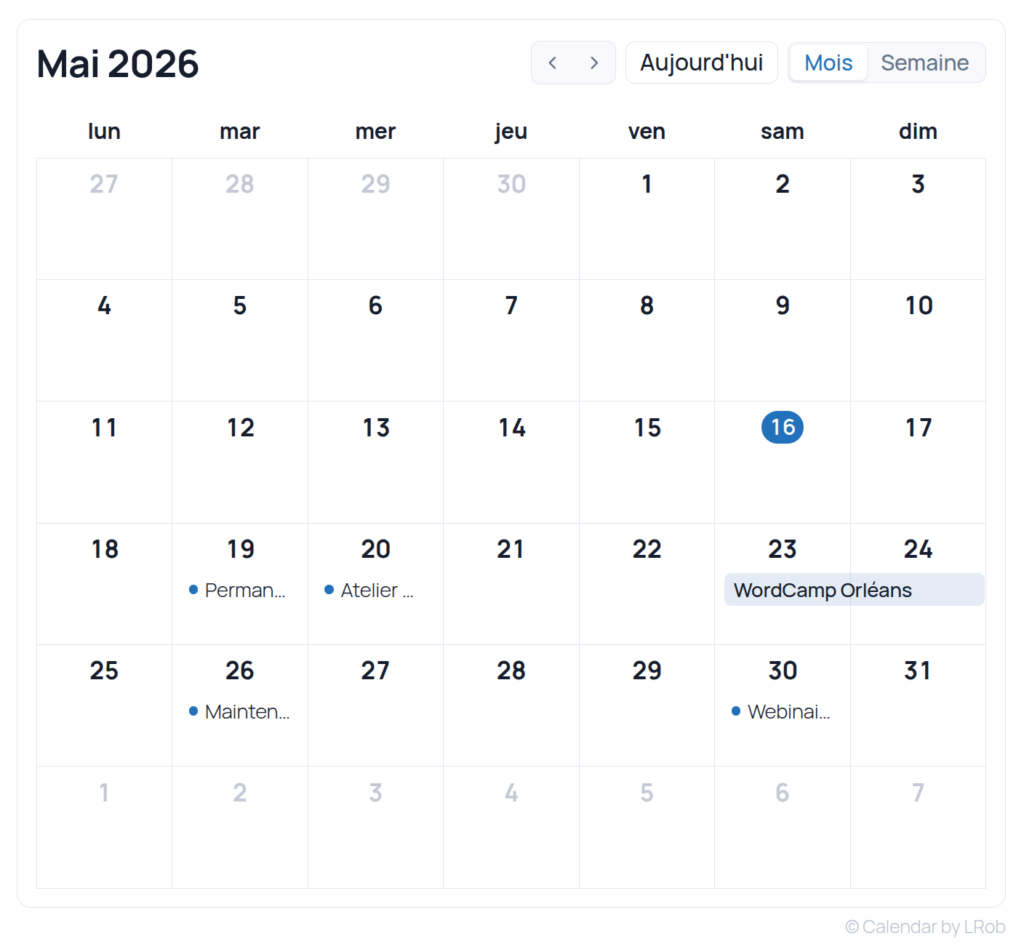
Public display
Administration
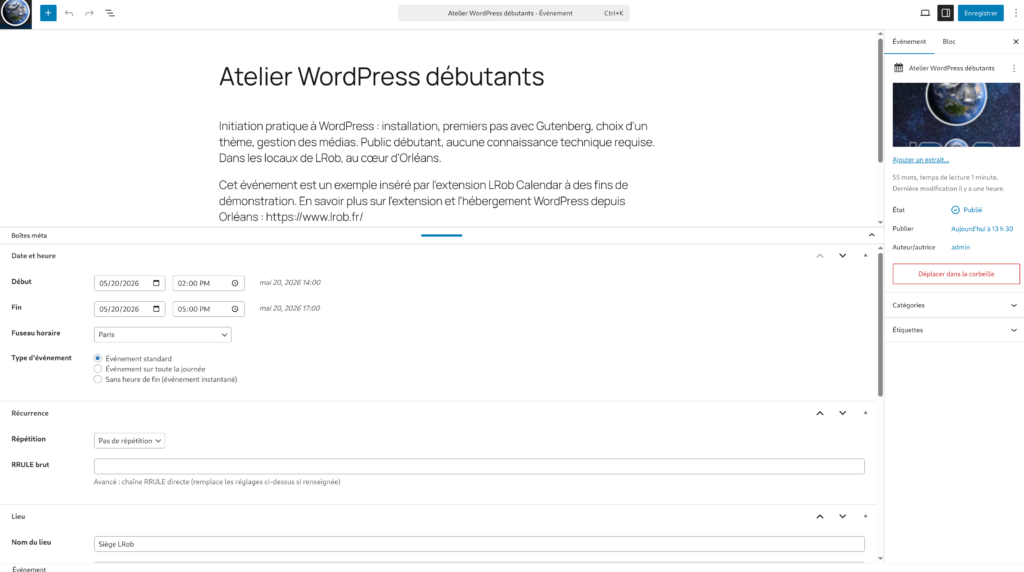
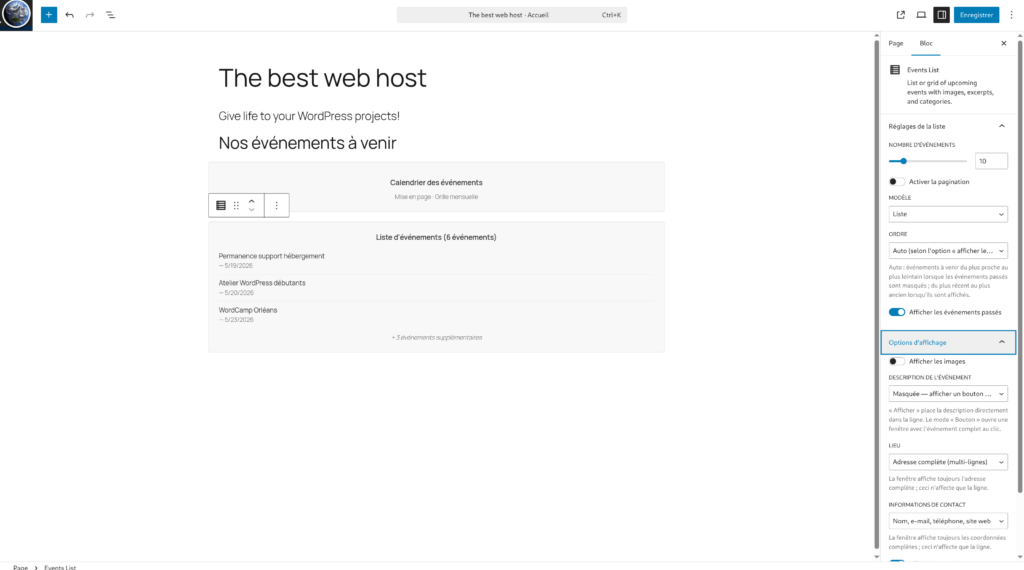
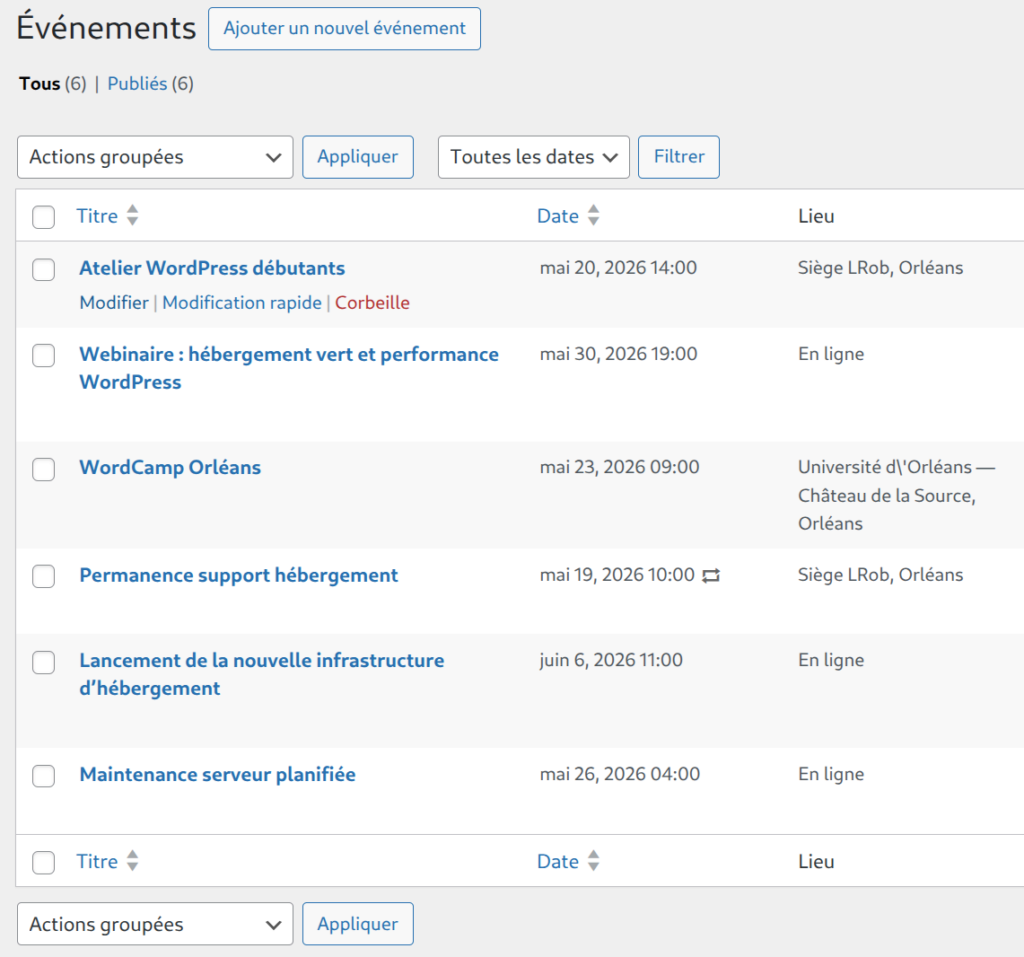
How to install and use the plugin (video)
Why choose this WordPress calendar plugin?
Most of the WordPress calendar plugins (The Events Calendar, All-in-One Event Calendar, Modern Events Calendar...) are either cumbersome, locked behind an annual subscription, or dependent on an external SaaS. LRob Calendar takes the opposite approach:
- Free for real no «lite» version to entice you to buy. All features are included.
- Light and fast Conditional asset loading, REST cache, no global JS on the frontend.
- Self-hosted your events stay in your WordPress database. No third-party services required.
- Clean, auditable code RRULE engine, dedicated table schema, queries prepared everywhere.
- Gutenberg-compatible three native blocks, designed for the modern block editor.
- In French : fully translated interface, developed by a French web host.
WordPress event calendar plugin features
Display: monthly grid or calendar
Two blocks, two presentation modes for your WordPress event calendar :
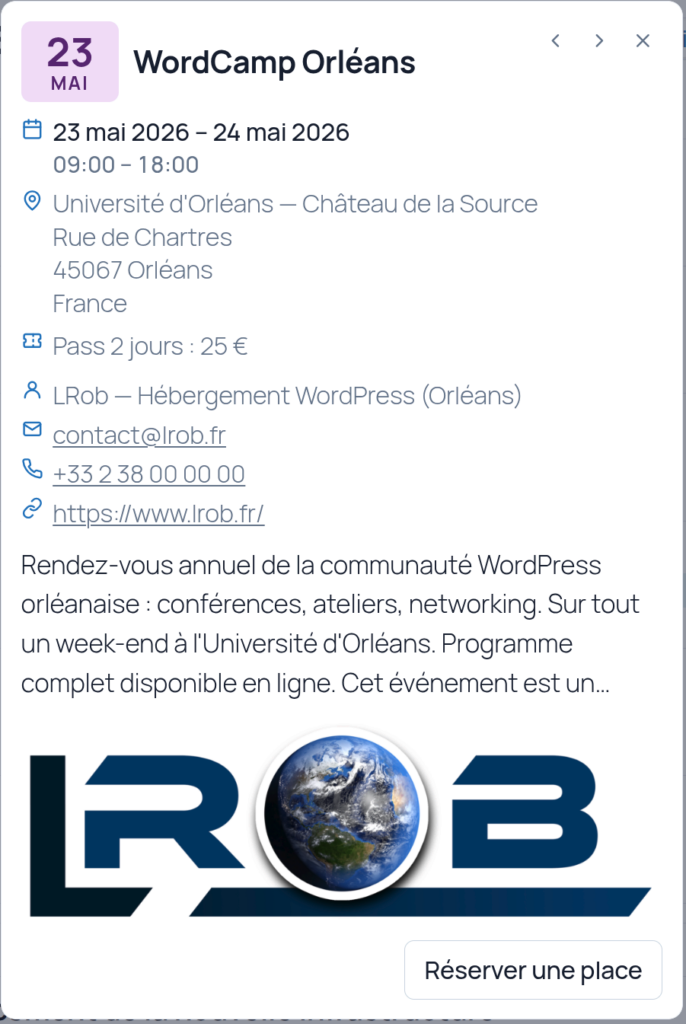
- Monthly grid like Google Calendar, with month-by-month navigation and clickable preview (detailed popup with image, date, location, extract).
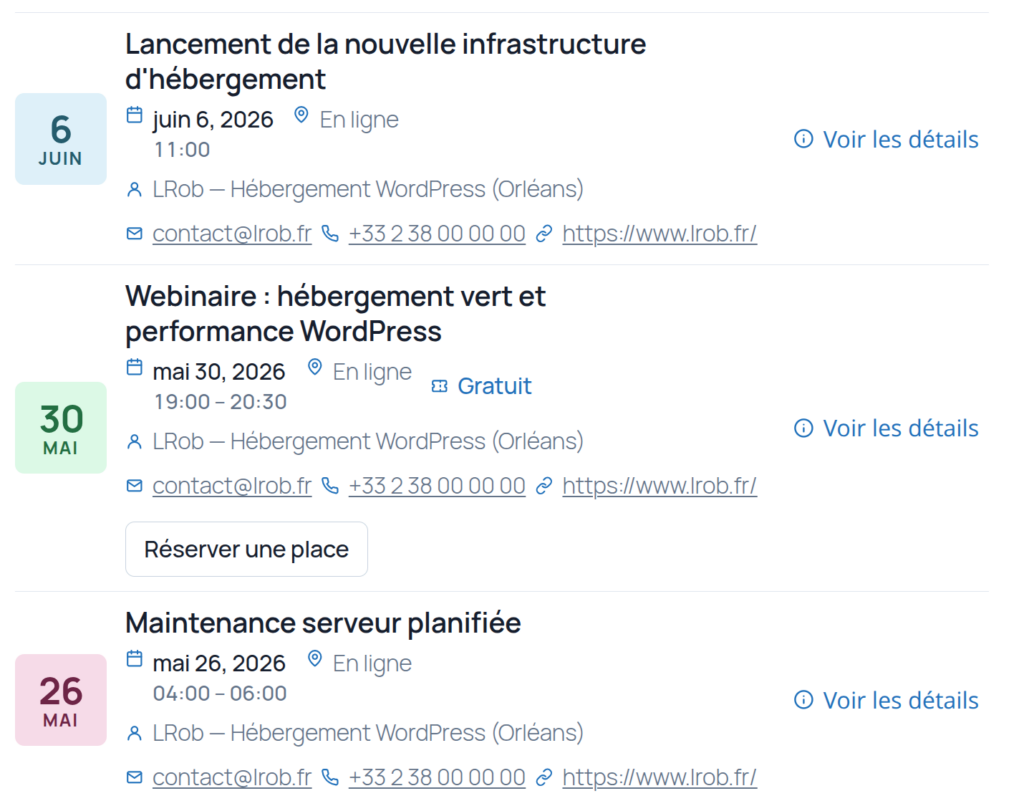
- Calendar view chronological, ideal for sites that want to keep list of upcoming events.
The preview popup is navigated by arrow, swipe on mobile, and automatically changes month at the end of the list. One-click full-screen lightbox image.
Recurring events (RRULE RFC 5545)
The integrated recurrence engine handles real cases: daily, weekly, monthly or annual event, with customized intervals, precise occurrences («the 2ᵉ Tuesday of the month»), exception dates, end after N occurrences or on a given date. No third-party plug-ins required for repeat events - often subject to a charge by our competitors.
Paginated event list (Events List block)
A second block to display a WordPress event list with :
- Three templates: list, grid, minimal
- AJAX pagination (arrows or numbered) with preloading of next page
- Filters by category or label
- Intelligent sorting (coming first, or recent first)
- Configurable image display (contain/cover, small/medium/large)
Single event block
Insert a specific event anywhere on your WordPress site: home page, sidebar, dedicated page. Three templates (Full / Compact / Minimal) to suit your context.
Event pages with OpenStreetMap map
Each event has its own page, with integrated OpenStreetMap map (free, no Google Maps API key, no cost), contact information, prices, ticketing link. Public pages can be deactivated if you prefer to display everything as a popup.
Categories and colored labels
Organize your events with WordPress categories classics, plus a custom color by category displayed as badges on cards. Practical for identifying concerts, workshops, meetings, training courses, exhibitions...
JSON import/export
Easy migration from one country to another WordPress calendar plugin import format All-in-One Event Calendar automatically detected, or export/import the plugin's native JSON format. Ideal for migrating an existing calendar or synchronizing multiple sites.
Internationalization
Interface in English and French (over 225 translated strings), with gettext + JSON workflow for easy addition of other languages.
Who is this WordPress agenda plugin for?
| Profile | Use cases |
|---|---|
| Associations | Agenda of meetings, events open to the public, AGMs, workshops |
| Bars, restaurants, cultural cafés | Weekly program, evenings, concerts, quizzes |
| Performance halls, MJCs, media libraries | Cultural season, events, exhibitions |
| Training centers | Sessions, recurring workshops, back-to-school dates |
| Professional & self-employed | Availability, customer events, conferences |
| Community websites | Local meetings, meetups, recurring events |
Technical requirements
- WordPress 6.0 or higher
- PHP 8.0 or higher
- Publisher Gutenberg (the plugin doesn't provide shortcodes - only blocks, which are more modern and more maintainable)
Installing the WordPress calendar plugin
- Download file
.zipof the latest version since GitHub releases page. - In WordPress administration, go to Extensions → Add → Upload extension.
- Select zip, install, activate.
- See you in Calendar → Settings to set time zone, first day of week and performance limits.
Performance and safety
A good WordPress calendar plugin should not slow down your site. LRob Calendar :
- Only loads JS and CSS on pages containing a calendar block (conditional loading via
block.json). - Use a REST cache with version-based invalidation.
- Preloads post and thumbnail caches before rendering.
- Limit the generation of recurrences (configurable caps) to avoid explosions on older diaries.
- No external calls no Google, no CDN, no third-party stats service.
Security: nonces and capability checks on all admin actions, SQL queries exclusively via $wpdb->prepare(), systematic exhausting of outlets (esc_html_e, esc_attr, wp_kses_post).
FAQ - WordPress events calendar plugin
Is this WordPress calendar plugin really free?
Yes. GPL-2.0, no premium version, no subscription, no disguised freemium. All the features described on this page are included in the downloadable version.
Does it manage recurring events?
Yes, that's one of the main features: RRULE RFC 5545 engine home, with no external dependencies. Daily, weekly, monthly, yearly, with ordinals («3ᵉ Thursday»), exceptions and milestones.
Is it compatible with other calendar plugins?
The plugin automatically imports All-in-One Event Calendar exports (AI1EC). Modern Events Calendar / The Events Calendar compatibility planned for a future version.
Is it compatible with my WordPress theme?
The plugin uses native Gutenberg blocks and scoped CSS to avoid conflicts. It works with the vast majority of modern themes (FSE or classic) compatible with WordPress 6.0+.
Is there a built-in card?
Yes, OpenStreetMap map on event pages, free of charge. No Google Maps API key required.
How can I get help?
The code is open on GitHub. Bugs and feature requests via issues. For professional support or’WordPress outsourcing, contact LRob.
Download and source code
LRob Calendar is distributed under license GPL-2.0-or-later (the same as WordPress). The full source code is available on GitHub.
Developed by LRob, French WordPress host
This free WordPress calendar plugin is developed and maintained by LRob, WordPress hosting specialist based in Orléans. If you're looking for a high-performance WordPress hosting, the’outsourcing or a security audit for your site, discover our offers.