


LRob Hiboutik is a WordPress plugin that connects a store’s Hiboutik point of sale to its WooCommerce shop: catalog, stock and sales, in both directions. All its code is installed on your site, with no intermediate server, and it uses as few calls to Hiboutik as possible.
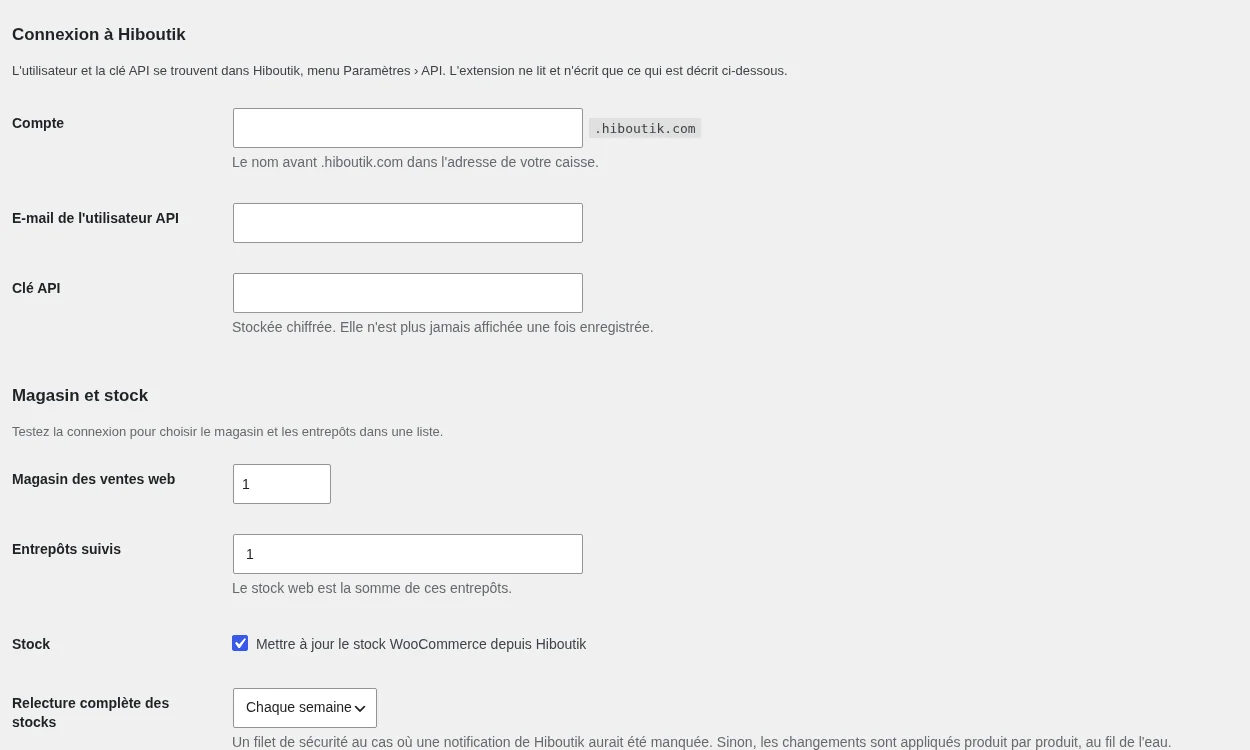
A business that sells in store with Hiboutik and online with WooCommerce needs a single catalog and a single stock. The point of sale remains the reference: every in-store sale updates the online stock, and every order paid on the website is recorded in the point of sale.
Catalog imported into WooCommerce
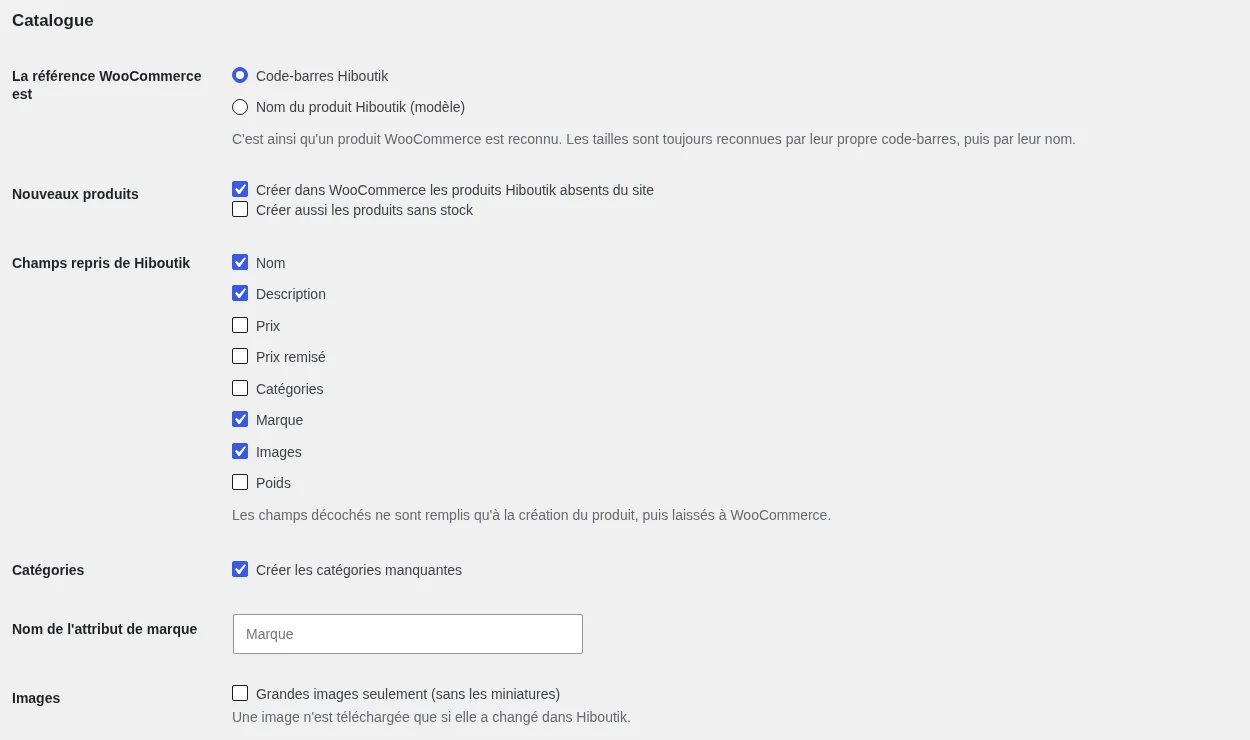
- Products, prices, categories, brands, images
- Sizes imported as variations
- Background import, in batches of 250
- Products matched by barcode, no duplicates
- Import preview before writing anything
Stock updated on every in-store sale
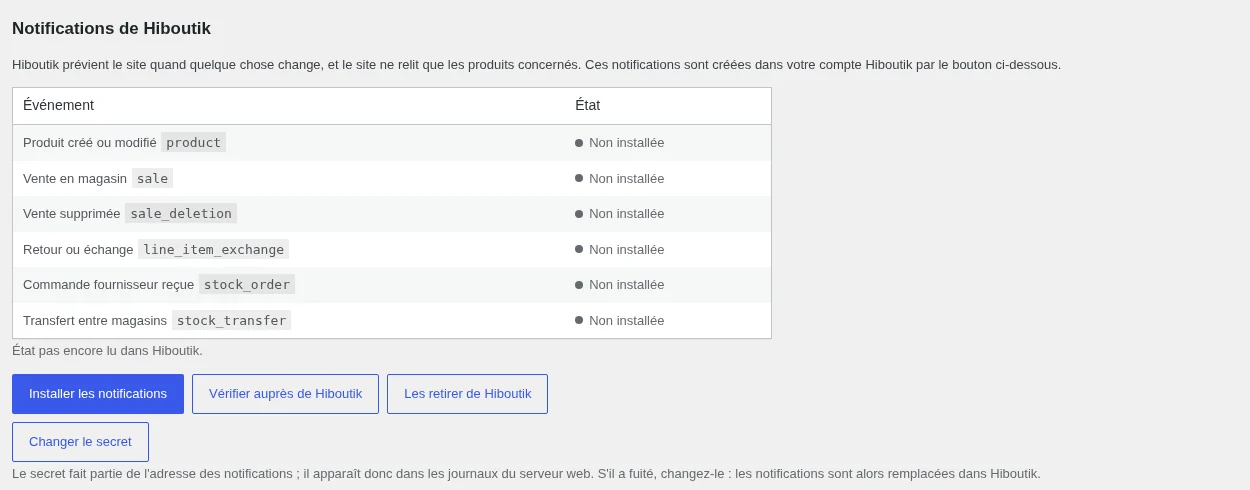
The plugin installs notifications in your Hiboutik account for every sale, return, exchange, supplier order receipt or transfer between stores. The site then re-reads only the products concerned, one call per product, and updates the online stock.
- Notifications protected by a secret
- At most one re-read per product per minute
- Full re-read every week, as a safeguard
Web sales recorded in the point of sale

Each paid WooCommerce order becomes a sale in the Hiboutik point of sale, exactly once, with the customer attached if you wish. If an error occurs, the transmission is retried automatically, and an order can never be recorded twice.
Call budget and quota safeguard
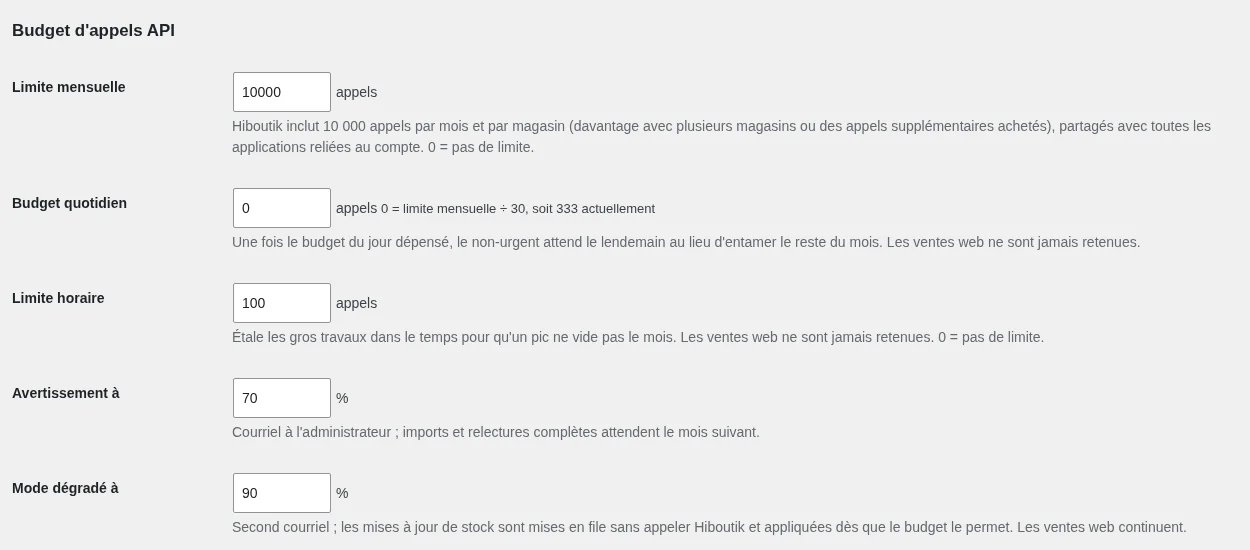
A Hiboutik account has 10,000 calls per month, shared between all the applications connected to the account. Beyond that, Hiboutik refuses everything until the following month. The plugin therefore counts its calls per month, per day and per hour, and throttles itself:
- 70%: alert email, major imports postponed
- 90%: stock updates are queued
- Quota reached: no more calls, nothing lost
- Web sales never held back
Dashboard and log
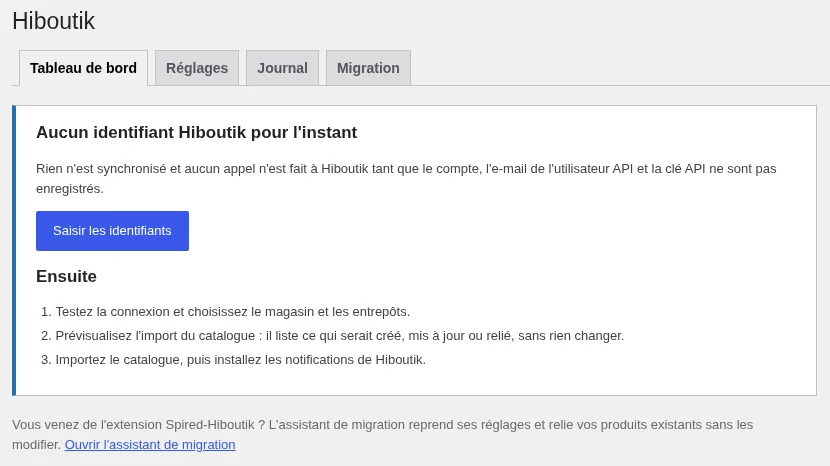
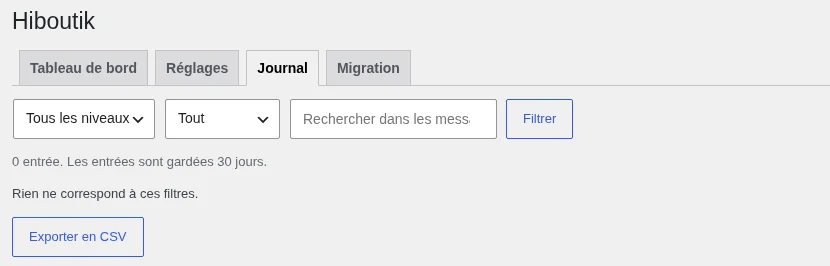
The dashboard shows the connection status, the last import, the last notification received, the daily and monthly calls, and recent errors, with buttons to test the connection, import the catalog, or check all the stock. The log keeps records of 30 days of events, calls, and errors, with filters and CSV export.
Migration from the Spired-Hiboutik extension
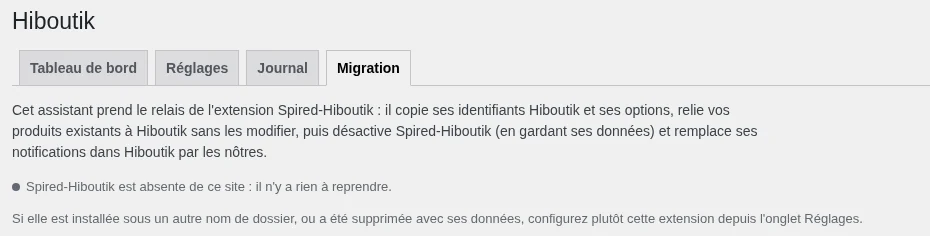
If the site used the Spired-Hiboutik extension, the migration assistant takes over its credentials and settings, links the existing products without changing anything on the screen, replaces the notifications in Hiboutik, and then deactivates the old extension while keeping its data.
Last step, mandatory: generate a new API key in Hiboutik and enter it in the Migration tab, because the old one was stored in plain text in the site database.
Installation and updates
- Download the .zip from the releases page.
- Plugins, Add New Plugin, Upload Plugin.
- Install and then activate.
- Enter the API key in WooCommerce, Hiboutik.
- Preview and then import the catalog.
- Install Hiboutik notifications.
New versions then appear on their own in the WordPress Updates page, just like a plugin from wordpress.org: they come from LRob’s code server, git.lrob.net.
You need PHP 8.1 or later, WordPress 6.4 or later, WooCommerce 8 or later, and a Hiboutik API user (in Hiboutik: Settings, API).
Frequently asked questions
Is LRob Hiboutik free?
Yes. GPL license, no subscription or paid version.
Does the extension download code remotely?
No: all its code is installed on your site and readable. It only contacts Hiboutik, and the LRob code server to check for updates, without sending any data from the site.
How many Hiboutik calls does it use?
One paginated import at the start, then only one re-read per affected product when Hiboutik reports a change, plus a full re-read once a week. It is designed to stay at a few hundred calls per month for a shop with a few hundred products.
What happens if the Hiboutik quota is reached?
The plugin stops calling Hiboutik until the reset date. Received notifications and paid orders are queued, then processed as soon as calls are possible again.
Is the interface in French?
Yes, the extension is fully translated into French.
Source code and license
LRob Hiboutik is released under the GPL 2.0 or later license, like WordPress: open source, free, with no paid version. The code, releases and issue tracker are on git.lrob.net/WP/hiboutik ; for a bug or an idea, open an issue on the repository.
Other LRob WordPress plugins
- Email Toolkit : emails, forms and newsletters
- LRob Calendar : event calendar
- QR Code Maker : QR codes with scan tracking
- Cookie Consent : GDPR cookie banner
- Age Gate : age verification
- La Carte : bar or restaurant menu
- Gutenberg Blur : blur and glass effect for your blocks
All the plugins, sorted by use, are on the page LRob Plugins.