
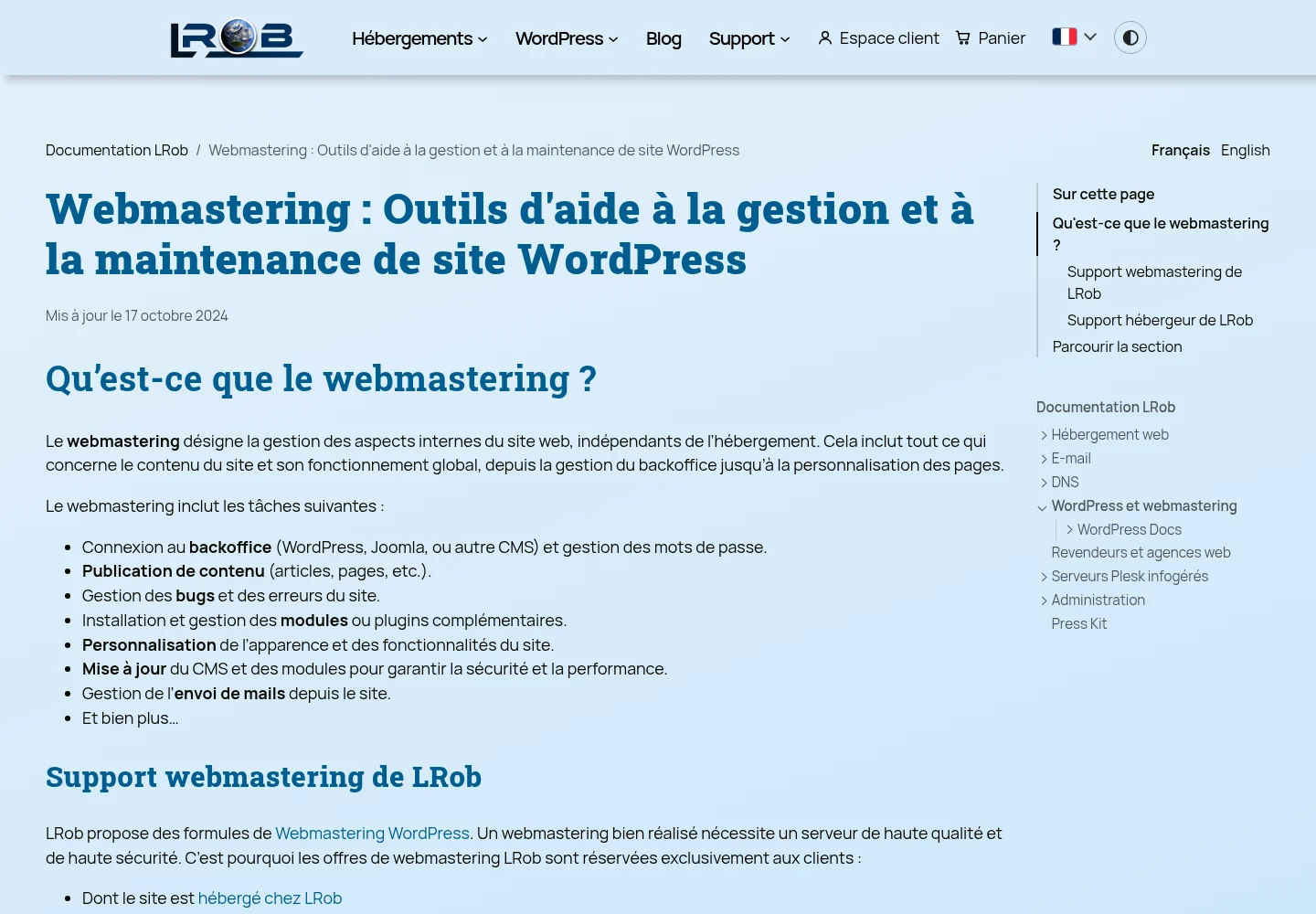
LRob – Docs is a WordPress plugin that turns a folder of Markdown files, kept in a Git repository, into documentation pages on your site. Your writers write the way people write code; every time a change is pushed, the site publishes the new version, in your theme, with its menu, its table of contents and its tags for search engines.
The plugin is free and works with a repository on Forgejo, Gitea or GitHub. It is still young (version 0.2): its settings, file formats and behavior may still change before version 1.0.
A real Markdown wiki, published in WordPress
- One file, one page:
guides/backup.mdbecomes/docs/guides/backup/ - The repository is the source of truth: nothing is edited in WordPress
- Review and history in Git, just like for code
- GitHub-flavored Markdown: tables, task lists, footnotes, callouts (
> [!NOTE]), anchors on headings - Links and images: a link between two
.mdfiles becomes a link between two pages, and images are served from the repository
Documentation pages are real HTML pages built by the server, like the other pages of your site: search engines index them, and no JavaScript is needed to display them. They take their rightful place in your site, in your theme, alongside your other pages.
LRob publishes its own documentation this way, written in Markdown in a Git repository: www.lrob.fr/doc.
Who it’s for
- Software publishers and web hosts who keep their users’ documentation next to their code
- Teams who prefer Markdown, review by merge request and Git history over the WordPress editor
- Multilingual sites whose documentation exists in several languages
Does your documentation already live in a repository, or do you want it to? You keep writing, reviewing and merging your changes as usual; LRob – Docs takes care of showing them on your WordPress site.
Published on every pushed change
- The branch is checked every hour
- A webhook from the forge to publish right after a push
- A single switch: the new commit is downloaded, verified, then published all at once
- Rollback: the previous version stays available
- Caches cleared: object cache, W3 Total Cache, WP Super Cache, WP Rocket, LiteSpeed Cache
- Sync log, with broken links and files to fix
Your visitors see the new text as soon as it is published, even when you publish from WP-CLI. The Documentation, Status screen shows the live commit, the last check and the log; a Revert to previous version button immediately puts the previous commit back online and pauses the checks, so the faulty commit doesn’t come back.
The navigation of real documentation
- A sidebar index, built from your folders or a
_nav.ymlfile, with collapsed sections - A table of contents that follows the reader and highlights the current section
- A breadcrumb trail above each page
- Previous page, next page within the same section
- Related pages below the article
- Sections as cards: description, page count, first pages
With a block theme, the plugin provides a “Documentation page” template made of blocks: content, navigation, table of contents, breadcrumbs, related pages, previous and next, language switcher. You move, restyle or replace them like any other block. A classic theme also gets its template, which the theme can override.
On large screens, the table of contents stays in the window, however long the page is; on phones, it opens from the edge of the screen, through an “On this page” tab. Each page can also display the date of its last change and an “Edit this page” link to its file on the forge.
Documentation in several languages
- One folder per language:
en/install.mdandfr/install.mdare the same page - Translated URLs, which you choose with
slug: - A language switcher and
hreflangtags - A missing translation: redirect to the default language, page shown in that language, or “not found”, your choice
TranslatePress and Polylang leave documentation pages alone, and their language switcher leads to the right translation. With LRob – AI Translator, your site’s switcher leads to the same page in the other language, dated versions included, and a link to the documentation from a translated page lands directly in the visitor’s language. Nothing to configure.
Dated legal texts, with all their versions
- At the root of the site:
/terms/,/legal-notice/ - Published by release: your commits change nothing online until you publish a release
- “In effect since” and the date, under the title
- The public list of versions, at
<page>/versions/ - Simple pages: the text and its table of contents, without the documentation menu
Your terms and conditions, legal notices and privacy policy are managed like the documentation, in Git. You review and commit as often as needed; the site only changes when you publish on the forge a release whose tag matches the chosen pattern (legal-*). Drafts and pre-releases stay offline.
Every published version remains readable, with the period during which it was in effect. In the file header, changes: summarizes it in one sentence and updated: sets its effective date. A published WordPress page keeps its address until you unpublish it: you move your texts one by one. Example: the versions of LRob’s terms and conditions.
Pages built for search engines
- Title, description, canonical URL and robots directives
- Open Graph and structured data
- Rank Math or Yoast SEO: the tags are handed over to them when either is active
- Sitemap from WordPress, Rank Math or Yoast
- Old URLs listed in a page’s header, redirected to it
- HTTPS links: a domain name written in the text becomes a secure link
A link to your own site, written with or without “www.” or with “http://”, leads straight to the site’s address: no redirect for the visitor, a single address per page for your SEO tools. A domain name written between backticks stays code, never a link.
Your chatbot answers from the documentation
- Every public page, in every language, with its title and the headings above it
- The right section cited, with a direct link to it
- The page in the visitor’s language, when it is translated
- Always up to date: after each publication, only the changed pages are re-read
- Never sent: drafts, pages excluded from search engines, untranslated pages
A chatbot that reads content sources, such as LRob – Chatbot, finds the documentation on its own: nothing to configure. To keep it away from assistants, uncheck Make the documentation readable by the site’s assistants in the Search engines settings.
Migrating documentation made of WordPress pages
- A WP-CLI command:
wp lrob-docs export-pages - A page and everything beneath it, converted into organized Markdown files
- Common blocks become Markdown, headings keep their anchors
- The old URLs noted in each file, for redirection
- A report of everything that needs a manual touch-up
The command changes nothing on the site: it reads the pages and writes files to a folder. You review, commit and publish; then you unpublish the old pages, whose addresses then lead to the new ones. Nothing is lost silently: every block that isn’t carried over in full appears in the report.
A repository that is read, never executed
- Tokens and secrets never displayed again, kept in
wp-config.phpif you prefer - Signed webhook (HMAC-SHA256): any other call is rejected
- Only Markdown and media allowed: no PHP file leaves the repository
- Archive verified file by file: paths, links, size and count
- HTML filtered like a post’s content, links that would run a script neutralized
- No program run on the server: neither
gitnor anything else
Everything goes through the forge’s HTTP API, and an access token is sent only to it, never to another host or through a redirect. Extracted files are protected against direct access on Apache and IIS; on nginx, deny access to the storage folder or place it outside the web root, with a simple setting.
Installation and updates
- Download the .zip from the releases page.
- Plugins, Add New, Upload Plugin, then activate.
- Documentation, Languages and URLs: your languages (
fr,en…) and the default language. - Documentation, Sources, Add a source: the repository address, the branch, the languages folder and the URL prefix (
docs). A private repository requires a read-only token. - Save. When Documentation, Status shows Published, your pages are online.
After that, new versions appear on their own on the WordPress Updates page, just like a plugin from wordpress.org: they come from LRob’s code server, git.lrob.net.
You need WordPress 6.7 or newer, PHP 8.4 or newer (the plugin is developed and tested on PHP 8.5) with the zip, mbstring and ctype extensions, and a repository on Forgejo, Gitea or GitHub that your server can reach over HTTPS.
Frequently asked questions
Is LRob – Docs free?
Yes: it is released under the GPL 2.0 or later license, like WordPress.
Do I need to install Git on the server?
No. The plugin never runs git or any other program: it goes through the HTTP API of Forgejo, Gitea or GitHub, and downloads each new commit as an archive.
Can my repository stay private?
Yes, with a read-only access token. Once saved, it is never displayed again, and you can keep it in wp-config.php rather than in the database.
Can I fix a page in WordPress?
No: the repository is the only source, and nothing is edited in WordPress. The “Edit this page” link leads straight to the file on the forge; the fix goes live at the next publication.
Does it work with my theme?
With a block theme, the documentation page is a template made of blocks, which you rearrange in the site editor. A classic theme gets its own template, which the theme can override.
What if a publication causes a problem?
A button puts the previous version back online and pauses the automatic checks while you fix the repository. You then resume synchronization with one click.
Why LRob created LRob – Docs
WordPress isn’t designed for documentation: no sidebar index, no table of contents, no next page. LRob also wanted to write in Markdown and version in Git, as is done for code, and to have terms and conditions that carry their date and their history, and that can be read as they were on a given date.
Files in Git can be searched, reviewed and edited in bulk: a whole body of documentation can be kept up to date without opening its pages one by one.
So LRob wrote the tool it needed for its own site. Like the other LRob plugins, it is distributed for free.
Changelog : notes de version
Version 0.2.2 23 November 2026 New
You decide what follows your page titles.
You decide what follows your page titles.
Documentation pages used to end their title with your site’s name ("Install the server – My Site"). Long titles get cut in search results; now you choose.
What’s new
- A setting for the title suffix. Go to Documentation → SEO → Title suffix.
{site}stands for your site’s name: that is the default, so your titles stay as they are until you change it. - Page titles on their own. Empty the field and save: each page’s title is its own title, with nothing after it.
- Your own text. Write anything else, for example
{site} HelporDocumentation, and it follows every page title, in every language.
The suffix applies to the page title shown in browsers and search results, including the one handed to Rank Math or Yoast SEO. If your site uses a page cache, clear it after changing the setting.
Upgrading
Upload the zip over the previous version. Nothing changes until you edit the setting.
Version 0.2.1 23 November 2026 New
Your documentation now speaks with LRob – AI Translator.
Your documentation now speaks with LRob – AI Translator.
If your site is translated with LRob – AI Translator, your documentation and your translated pages now point to each other at the right address in every language.
What’s new
- The language switcher finds the right page. On a documentation page, the language switcher of your site leads to the same page in the other language, never to a page that does not exist. It works for a page, a section, the documentation’s home, a page’s history and each of its dated versions.
- Links from translated pages go straight to the documentation. In your translated pages, a link to a documentation page leads directly to that page in the visitor’s language. Visitors skip a redirection, and search engines see the right address.
Nothing to set: both work as soon as LRob – AI Translator is active, and change nothing without it.
Upgrading
Upload the zip over the previous version.
Version 0.2.0 23 November 2026 New
Every link in your documentation is now a secure one.
Every link in your documentation is now a secure one.
What’s better
- Domain names link over HTTPS. When you write a domain name in your text, like www.example.com, it becomes a link that starts with
https://. Visitors no longer land on an insecure address, and audit tools stop reporting insecure links on your pages. - Your own site, at its own address. A link to your own site, whether it was written with or without "www." or with "http://", now goes straight to your site’s address. Visitors skip a redirect and your SEO tools see one address for each page.
- Technical values stay as written. A domain name inside
backquotes, in a table too, is shown as plain code and is never turned into a link.
Upgrading
Upload the zip over the previous version. Your pages are rendered again by themselves after the update. Nothing to set.
Source code and license
LRob – Docs is released under the GPL 2.0 or later license, like WordPress: free and open, with no dependencies. The code, releases and issue tracking are on git.lrob.net/WP/docs, and the plugin’s full documentation is in the docs-site folder of the repository; for a bug or an idea, open a ticket on the repository.
The plugin’s Markdown parser adapts that of commonmark.js, by John MacFarlane (BSD 2-Clause license).
The other LRob WordPress plugins
- Chatbot: an assistant that answers your visitors, in their language
- AI Translator: site translation using Claude models
- Email Toolkit: emails, forms and newsletters
- LRob Calendar: events calendar
- QR Code Maker: QR codes with scan tracking
- Cookie Consent: GDPR cookie banner
- Age Gate: age verification
- La Carte: bar or restaurant menu
- LRob Hiboutik: Hiboutik point of sale and WooCommerce
- Gutenberg Blur: blur and glass effect for your blocks
- Dark Mode: light and dark mode
All the plugins, sorted by use, are on the LRob Plugins page.