
Chatbot is a WordPress plugin that answers your visitors’ questions from your site’s content. It indexes your pages, posts and documentation on its own, and searches them by meaning with your own vector server, hosted on your side.
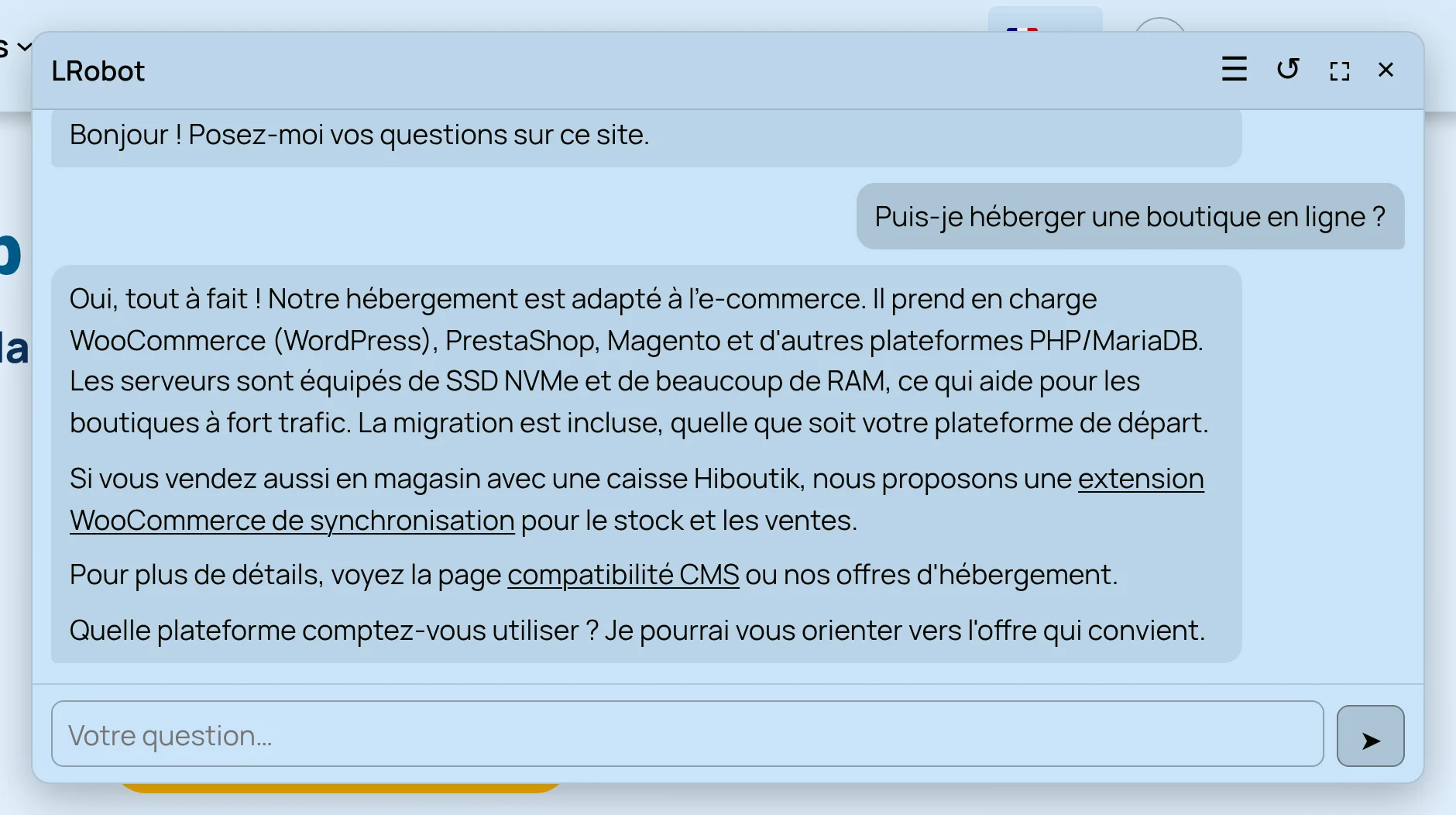
Answers are written by Anthropic’s Claude models, and by them alone: Chatbot works only with these models, using your own Anthropic API key. The plugin itself is free.
API costs stay with you. Each answer is billed by Anthropic to your own account: LRob receives nothing and is not responsible for these expenses. The plugin provides daily and monthly caps and cost tracking: set them as soon as you install it and keep an eye on your usage. These caps rely on estimates and are not foolproof: also set a spending limit directly in your Anthropic account, as that is the limit that counts.
Your site, indexed automatically
- Pages, posts, documentation: any public content
- Index updated every time you publish or edit
- Pages split into sections, at every heading
- Price and feature tables kept whole
- No summary to write, nothing to run by hand
You choose which content types to index. Other plugins can declare their own content, for example documentation served from files or a catalog: it is indexed like your pages. Everything happens in the background, never while a visitor is loading a page, and only published, public, non-password-protected content is read.
Because each page is split into sections, the answer points to the right part of a long page, not just to the page.
Search by meaning, on your own server
- By exact words: plan names, error codes, file names
- By meaning: “price” finds the “pricing” page
- Both combined on every question
- Your vector server, hosted on your side
- Vectors stay on your site
Search by meaning finds the page that answers the question even when it uses different words than the visitor. It goes through a vector server, and that server can be your own: using it is free and your content never leaves your machines. A small server is enough: two CPU cores and 2 GB of memory run a small multilingual model, with no graphics card.
The plugin’s wiki explains step by step how to set up your own vector server, with llama.cpp in Docker, behind nginx. Any service that speaks OpenAI’s /v1/embeddings format works too. Without a vector server, exact-word search works from the very first minute.
Answers written right before the visitor’s eyes
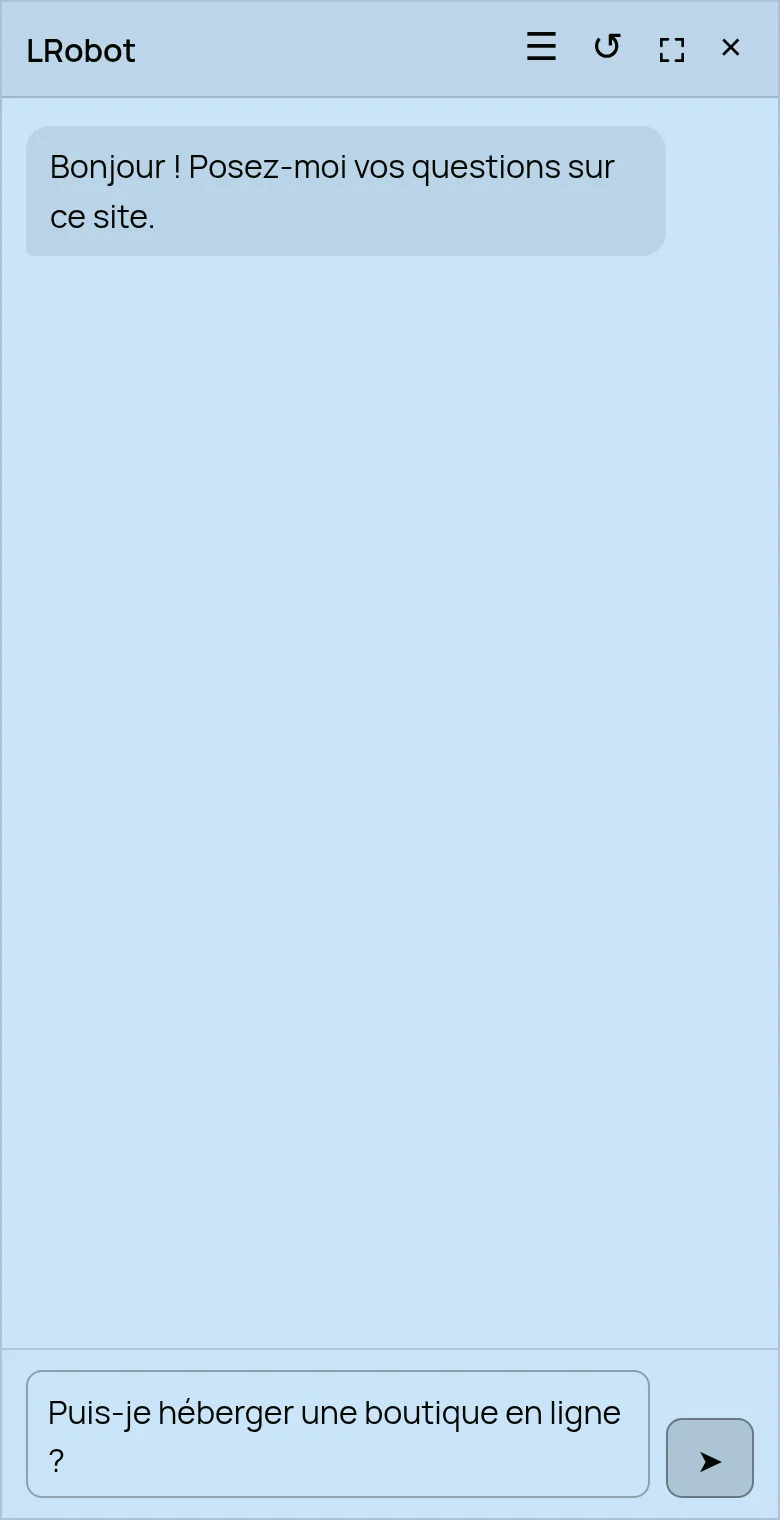
- Answer displayed as it is being written
- Visible steps: searching, reading, writing
- Links only to pages actually found on the site
- Links in the visitor’s language
- Nothing lost: the text in progress comes back
A question asked in one language can find a page written in another. When the page found exists in the visitor’s language (Polylang, WPML, TranslatePress, LRob – AI Translator), the answer links to that version. The assistant also knows which page the visitor is on, and knows your site’s date and time.
A window in your site’s colors
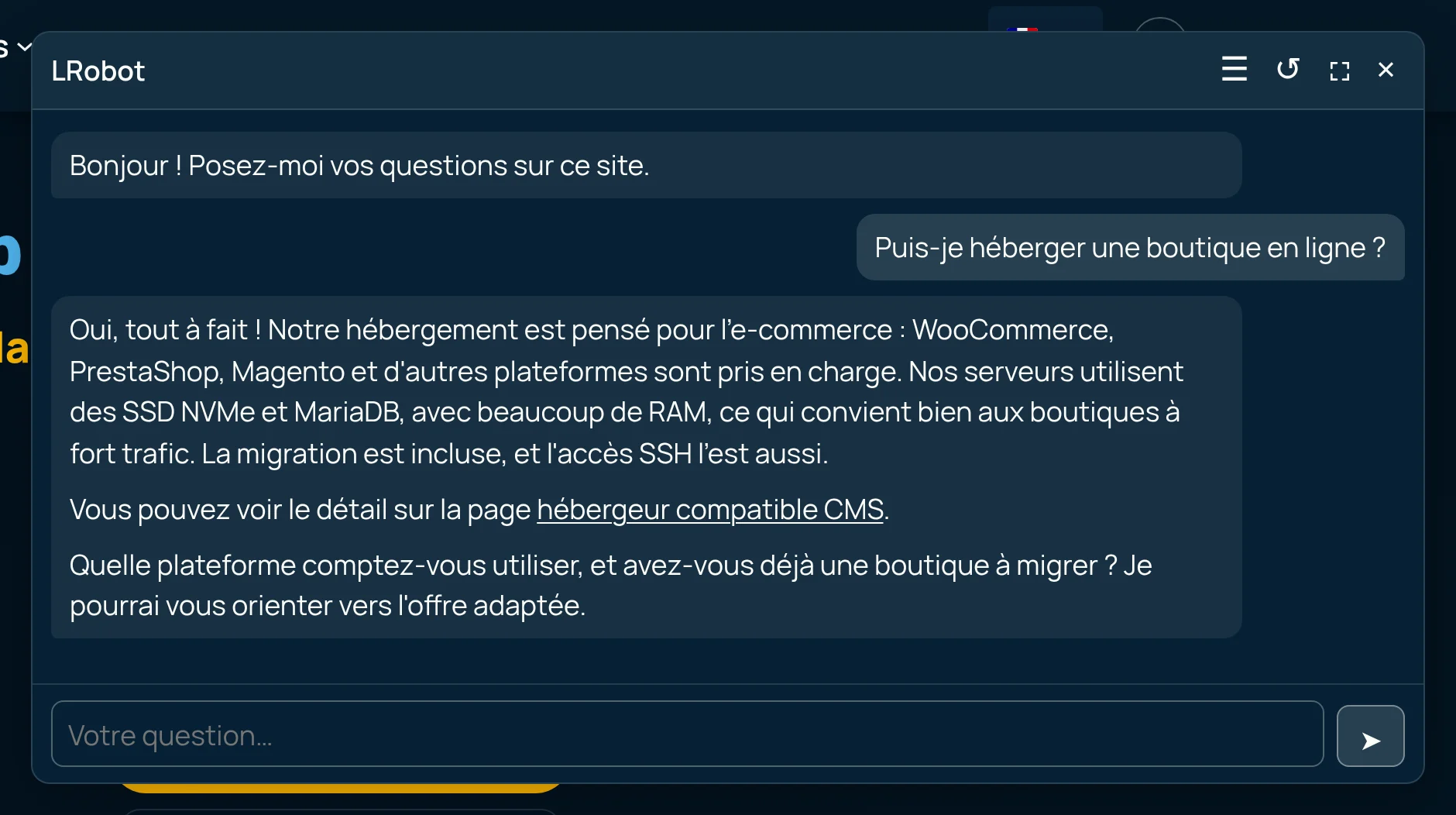

- In a corner of every page, or inside a page with the Chat block
- Your colors: those of your text and your theme
- Opening on click, on every page or after a delay
- Name, greeting and tone of the assistant: yours
- Preview of the real window before you save
The window follows the visitor from page to page. A button brings back their previous conversations, with no account or cookie: they can reopen one, delete one, or erase them all.
When the answer isn’t on a page
- Request a callback: name, email, phone and message
- Every request received by email and kept in the history
- Added notes: facts, standard answers, your house tone
- Tools from your other plugins: a calendar gives its dates
The “Request a callback” form stays off until you turn it on, and includes a consent checkbox. Added notes are searched like your pages and are never shown as links. Each tool from another plugin stays off until you turn it on.
Capped spending, blocked abuse
- Spending caps per day and per month
- Costs tab: what was spent, by model
- Limits per minute and per hour, per address and for the whole site
- Ready-made replies for “hello” or “thanks”
- Banned phrases, message length
- Temporary block after too many warnings
- Conversation history, kept 30 days by default
All these protections apply before any paid call is made, and every limit is a setting. No IP address is kept with the history: for abuse prevention, it is used in a protected form and deleted after one day.
What leaves your site
Unlike other LRob plugins, Chatbot calls an outside service: the Anthropic API, whose Claude models write the answers. You therefore need your own Anthropic API key, and no other model provider is supported. The plugin offers text for your privacy policy, which states what is sent to Anthropic.
The vector server is optional and can be your own. Your key goes in wp-config.php or in the settings, where it is stored encrypted: it is never displayed again, nor written to the log.
Installation and updates
- Download the .zip from the releases page.
- Plugins, Add New, Upload Plugin.
- Install, then activate.
- Open Chatbot in the admin menu.
- Follow Get started in three steps: your Anthropic key, what the assistant reads, where it appears.
After that, new versions show up on their own on WordPress’s Updates page, just like a plugin from wordpress.org: they come from LRob’s code server, git.lrob.net.
You need WordPress 6.7 or newer, PHP 8.4 or newer (8.5 recommended) with the curl, dom, sodium and mbstring extensions, and MySQL 8 or MariaDB 10.6 or newer. You also need an Anthropic API key: Chatbot works only with Anthropic’s Claude models. The vector server is optional.
Frequently asked questions
Is Chatbot free?
The plugin is: GPL license, no subscription and no paid version. Answers go through the Anthropic API with your own key; daily and monthly spending caps limit what the assistant can spend.
Does it work with a model other than Claude?
No. Chatbot works only with Anthropic’s Claude models, using your own API key. You choose the model from the list in your Anthropic account.
Do I need a vector server?
No: exact-word search works without one. The vector server adds search by meaning; you can host your own, or use a compatible service.
Can the assistant read private content?
No: only published, public, non-password-protected content is read, and nothing from user accounts. You can also leave out a piece of content, certain addresses (/shop/*) or a language.
Does it slow down my site?
Your pages stay cache-friendly: the window asks the server for nothing when a page loads, and indexing happens in the background.
My site is in several languages, is that supported?
Yes, with Polylang, WPML, TranslatePress or LRob – AI Translator. Search looks first in the visitor’s language, and indexing a single language is enough for answers to link to the translated version of a page.
Why LRob created Chatbot
LRob is a web host specializing in WordPress. A site’s visitors ask the same questions every day, and the answer is already written somewhere, often on a page whose title doesn’t give it away.
So LRob wrote an assistant that starts from the site’s content as it is, with nothing to summarize for it, and whose search by meaning can run on a server you control. This plugin is what answers visitors on lrob.fr. Like LRob’s other plugins, it is distributed for free.
Changelog : notes de version
Version 0.4.10 22 November 2026 New
Know where a conversation came from.
Know where a conversation came from.
What you get
- The visitor’s IP address in the History. Each new conversation keeps the IP address it was sent from: shown in its own column of Chatbot › History and at the top of a conversation when you open it. Type an address, or its beginning, in the filter to find every conversation from it. Behind a proxy or a CDN, the address is the visitor’s when the proxy is listed in Server › Trusted proxies.
- The address is kept for the time set for the history and deleted with the conversation. The suggested privacy policy text says so. Conversations from before this version have none.
Version 0.4.9 22 November 2026 New
Your API costs, clearly in view.
Your API costs, clearly in view.
What you get
- A clear word on costs. Each answer is billed by Anthropic to your own account. The Costs tab now opens with a short reminder: what the plugin’s caps can and cannot do, and a direct link to set a spend limit in your Anthropic account, the one that is binding.
- Asked once, at the start. When you save your first Anthropic key, a short confirmation sums up the three points: the costs are yours, the caps are estimates, and a limit is best set at Anthropic too.
- Caps in the dashboard. The State panel shows the spending caps in force, and reminds you while none is set.
Changed
- The plugin’s page now leads to its presentation on lrob.fr.
Version 0.4.8 22 November 2026 New
An icon really centred in its button.
An icon really centred in its button.
Fixed
- The icon of the chat button (an emoji such as 🤖) could sit off centre — lower, and to one side — depending on the emoji font of your visitor’s system. Its drawing is now measured in the browser and placed at the exact centre of the button, on your site and in the preview of the settings.
- Chat window › Shift of the icon still adds to this centring, for a final touch. If you had set it to compensate, try it back at 0.
Nothing else to set up: install the update.
Source code and license
Chatbot is released under the GPL 2.0 or later license, like WordPress: free, no cost, no paid version. The code, releases and issue tracking are on git.lrob.net/WP/chatbot, the guides in the repository wiki; for a bug or an idea, open a ticket on the repository.
LRob’s other WordPress plugins
- Email Toolkit: emails, forms and newsletters
- LRob Calendar: event calendar
- QR Code Maker: QR codes with scan tracking
- Cookie Consent: GDPR cookie banner
- Age Gate: age verification
- La Carte: bar or restaurant menu
- LRob Hiboutik: Hiboutik point of sale and WooCommerce
- Gutenberg Blur: blur and glass effect for your blocks
- Dark Mode: light and dark mode
All the plugins, sorted by use, are on the LRob Plugins page.