
Pluginception is a WordPress plugin that turns the public repositories of a Git forge (Forgejo, Gitea or GitHub) into a project catalog on your site: latest version, download button, source code and release notes, all kept up to date automatically.
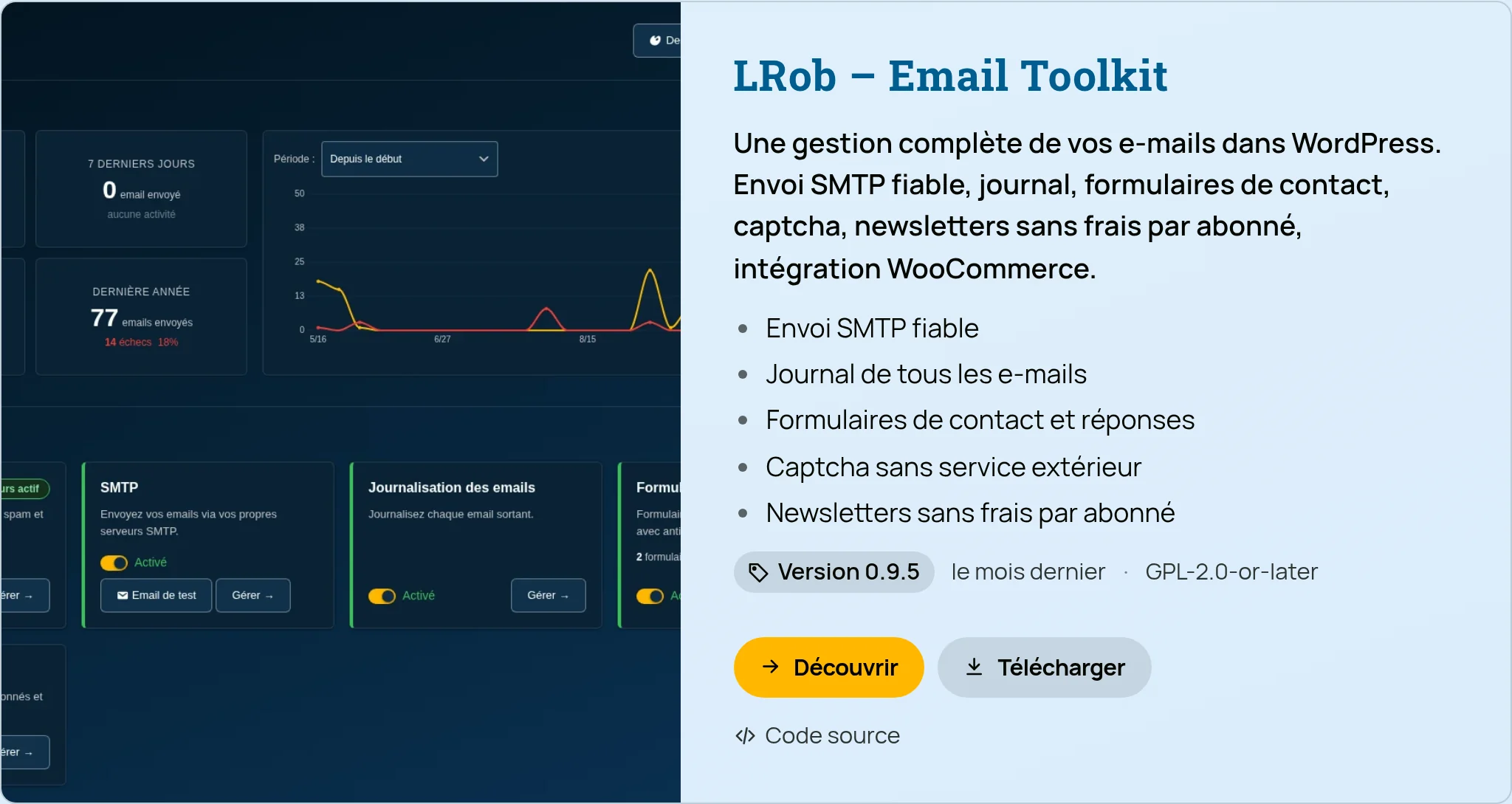
You publish a release on the forge: your pages display it, without touching WordPress. You write the text and choose the image that makes people want to click, and the forge provides everything else. The full-scale example is the list of LRob plugins, built with Pluginception. The plugin is free.
All your projects on one page
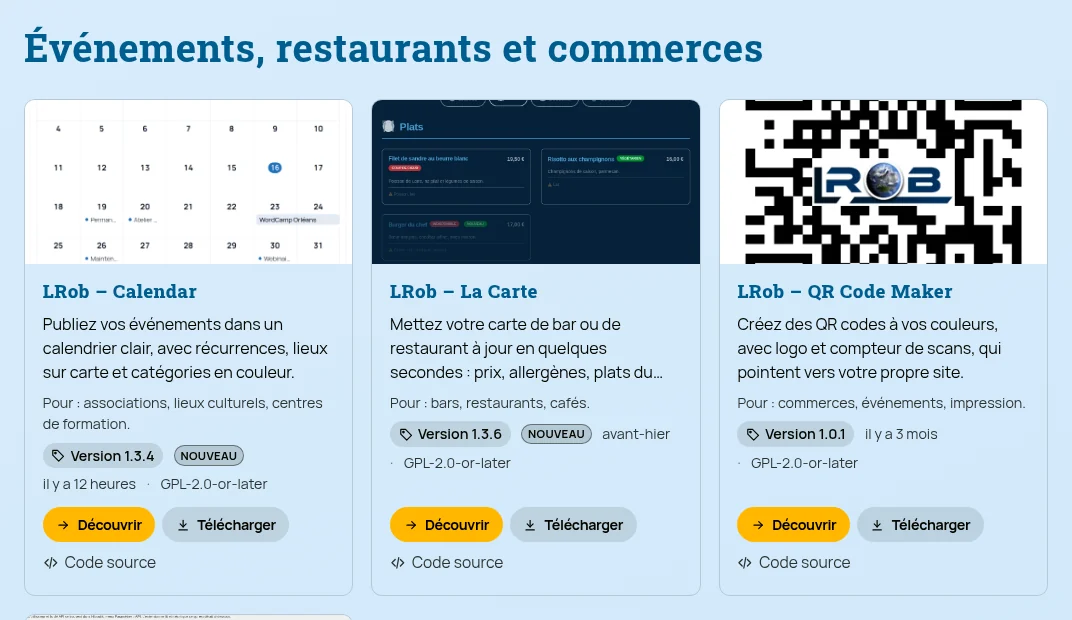
- One card per project: image, name, excerpt
- Version, date and license on each card
- A filterable grid, or sections by category
- “For: …” tells who the project is meant for
- Discover and Download buttons, Source code link
The Project index block builds your catalog page. A new repository joins it on its own. A featured project opens the page with a large card, the image next to the text, with its tagline and a few key points.
In your theme’s colors, in light or dark mode
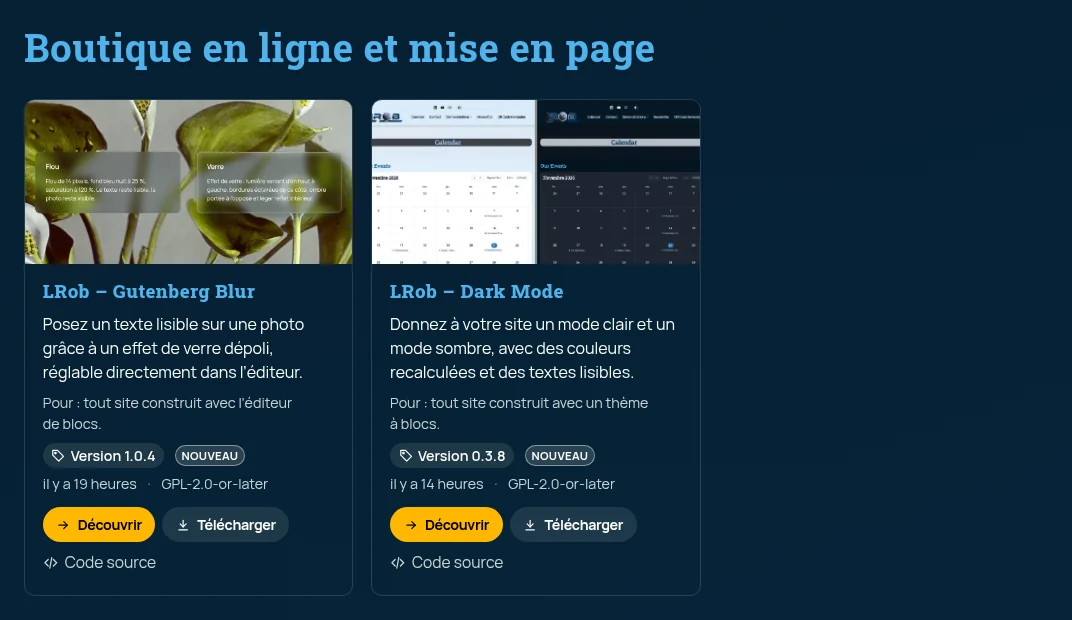
- Your theme’s colors and buttons
- Pills and badges readable in both modes
- New badge for recent releases
- From one to four columns, compact or large cards
A project’s image comes, in this order, from the image you choose, the banner of its repository, the featured image of its presentation page, your default image, or its initials.
A download button that’s always right
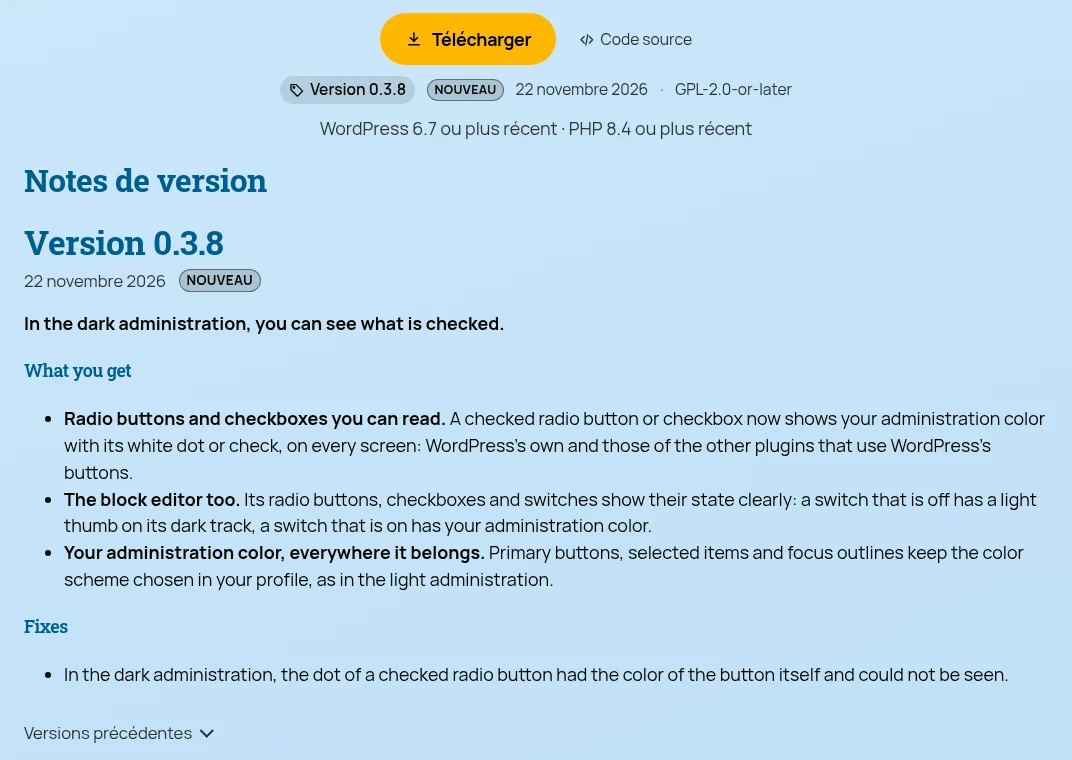
- The .zip of the latest release, in one button
- Version, date, license and requirements below
- Notes of the latest release, in full
- Previous releases, to browse one by one
On a project’s presentation page, the Project buttons block always offers the latest release, and the Release notes block displays its notes exactly as published on the forge. A project that has no release yet says so clearly.
Recent activity, to show your projects are alive
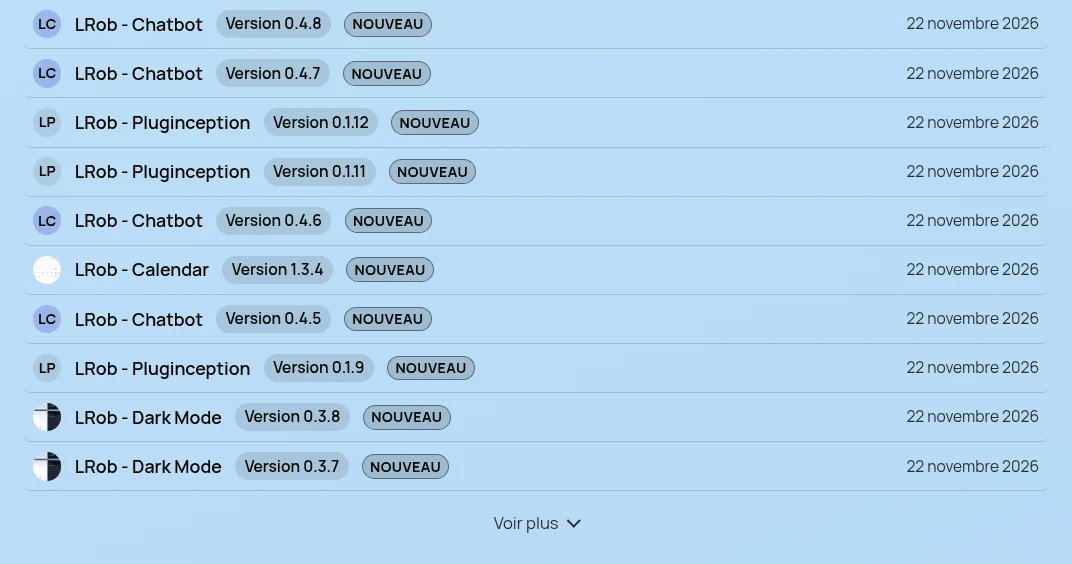
- The latest releases of all your projects
- Project, version and date, each with its link
- “See more” shows the next ones
- A tab for the latest commits, if you want it
- List kept out of search engines
Kept up to date by your forge
- An organization, an account or a single repository
- Forgejo, Gitea, GitHub, GitHub Enterprise Server
- No token needed: the data is public
- Scheduled reading, or a webhook for instant updates
- A log of every request to a forge
Add your organization’s address in Pluginception, Sources: its public repositories become projects. Name, description, license, releases, notes and README excerpt are read from the forge; whatever you enter yourself (name, excerpt, image, category, order, page) always takes precedence.
The plugin only reads: it never writes anything to a forge and never shows a private repository, even with a token. Nothing is requested from a forge while a visitor is viewing a page.
Lightweight and dependency-free
- No dependencies, no build step
- The index is built with two database queries
- Export and import of the configuration in a single file
- WP-CLI commands to configure everything from the terminal
- In French and English
Installation and updates
- Download the .zip from the releases page.
- Plugins, Add New, Upload Plugin.
- Install, then activate.
- Open Pluginception and add a source.
- Place the blocks on your pages.
After that, new versions appear on their own in the WordPress Updates page, just like for a plugin from wordpress.org: they come from LRob’s code server, git.lrob.net.
You need WordPress 6.7 or later, PHP 8.4 or later, WordPress scheduled tasks (wp-cron, or a real cron job that calls it), and a site that can reach the forge over HTTPS.
Frequently asked questions
Is Pluginception free?
Yes. GPL license, no subscription and no paid version.
Do I need an access token for the forge?
No: the data it reads is public. An optional read-only token raises the request quota the forge grants.
Can my private repositories appear?
No: the plugin never shows a private repository, even with a token.
How long does it take for a new release to appear?
Within the hour with scheduled reading, within a minute with a webhook.
Does it slow down the site?
No: everything is stored in the site’s database and displayed from it. No forge is queried while a visitor is viewing a page.
What happens if I deactivate it?
Scheduled reading stops and the blocks are no longer displayed; your sources, projects and settings are kept.
Why LRob created Pluginception
LRob is a web host specializing in WordPress, and publishes its plugins on its own forge. Maintaining one page per project on a site means copying version numbers and notes by hand, which are easily forgotten when it’s time to update them.
So LRob wrote a plugin that reads the forge and keeps the pages up to date on its own. It is what builds the list of LRob plugins. Like the other LRob plugins, it is distributed for free.
Changelog : notes de version
Version 0.1.17 22 November 2026 New
New versions show up at once, even behind a page cache.
New versions show up at once, even behind a page cache.
What you get
- Pages refreshed by themselves. When a reading of the forge brings something visitors see (a new release, changed notes, a removed release, a new name, description or image) or when you change a project in Pluginception, the pages that show this project leave the page cache: the ones with a Projects index or a Recent activity block, the ones whose Project buttons or Release notes name it, and the project’s own page. Nothing else is emptied, and nothing at all when nothing changed.
- Works with your caching plugin. W3 Total Cache, WP Rocket, LiteSpeed Cache, WP Super
Cache, WP Fastest Cache and Cache Enabler are told which pages to refresh, one by one; their
whole cache is never emptied. Any other cache can listen to the new action
lrob_pluginception_project_changed(see the wiki, Developers). - In the log. Each refresh names the pages it emptied.
Version 0.1.16 22 November 2026 New
A download area that shows what is new.
A download area that shows what is new.
What you get
- A panel for the Project buttons block. Set Appearance to Panel, the version large: a framed box with the latest version in big figures and its "New" badge, the release date, licence and requirements on one line, and the download button beside it, the source code link under it. It sits left, centre or right like the buttons, takes its colours from your theme, and stacks neatly on phones.
- The version in the button. Write
%sin the download button’s text: "Download %s" becomes "Download 0.3.8" and follows every new release. The panel says it by default. - "Released 2 days ago". Under Details, set Date shown as to Time since: the date reads as time since the release, written by the visitor’s browser so that cached pages stay right; the exact date stays in the tooltip.
Existing blocks keep their look until you change these settings.
Version 0.1.15 22 November 2026 New
Release notes at a glance.
Release notes at a glance.
What you get
- A collapsed display for the Release notes block. Set Display to Collapsed: one line per version: each version shows its number, its name, its date and the first lines of its notes; a click opens the whole notes in place, exactly as written. Long notes scroll inside their own area, and only one version is open at a time. Pages already using the block keep the latest version open, as before.
Source code and license
Pluginception is released under the GPL 2.0 or later license, like WordPress: free, no paid version. The code, releases and issue tracking are on git.lrob.net/WP/pluginception, the documentation in the repository wiki; for a bug or an idea, open a ticket on the repository.
The other LRob WordPress plugins
- Email Toolkit: emails, forms and newsletters
- LRob Calendar: events calendar
- QR Code Maker: QR codes with scan tracking
- Cookie Consent: GDPR cookie banner
- Age Gate: age verification
- La Carte: bar or restaurant menu
- LRob Hiboutik: Hiboutik point of sale and WooCommerce
- Gutenberg Blur: blur and glass effect for your blocks
- Dark Mode: light and dark mode
All the plugins, sorted by use, are on the LRob Plugins page.